
Start your EVOTECH request in under a minute.

Security Camera Wiring Fulshear TX
Professional, reliable installation for homes and businesses across Katy, Houston, and the surrounding areas — clean workmanship, clear communication, and a fast, free quote.
Why customers choose EVOTECH IT LLC
Customers are not only looking for a company name. They are looking for proof that the company can perform the exact work, is truly local, has real examples, and understands the technical details.
- Exactly what we do: Security Camera Wiring Fulshear TX — installed properly, tested, and done right.
- Local relevance: service area includes Katy, Houston, Sugar Land, Cypress, Richmond, Fulshear, Brookshire, and West Houston.
- Proof of work: real project photos, documented installations, and verifiable local reviews.
- Professional depth: testing, documentation, programming, calibration, and warranty-quality workmanship where it applies.
- Easy to reach: a clear phone number, quote form, and a real local business you can verify.
EVOTECH position
“Katy/Houston expert for low-voltage, network cabling, access control, cameras, AV, and business technology installation.”
Professional, insured, and business-ready installation standards
Clean workmanship, labeled installation, and final testing on applicable systems
Real project photos and visual proof
Recent EVOTECH IT LLC installations from around the Katy and Houston area.
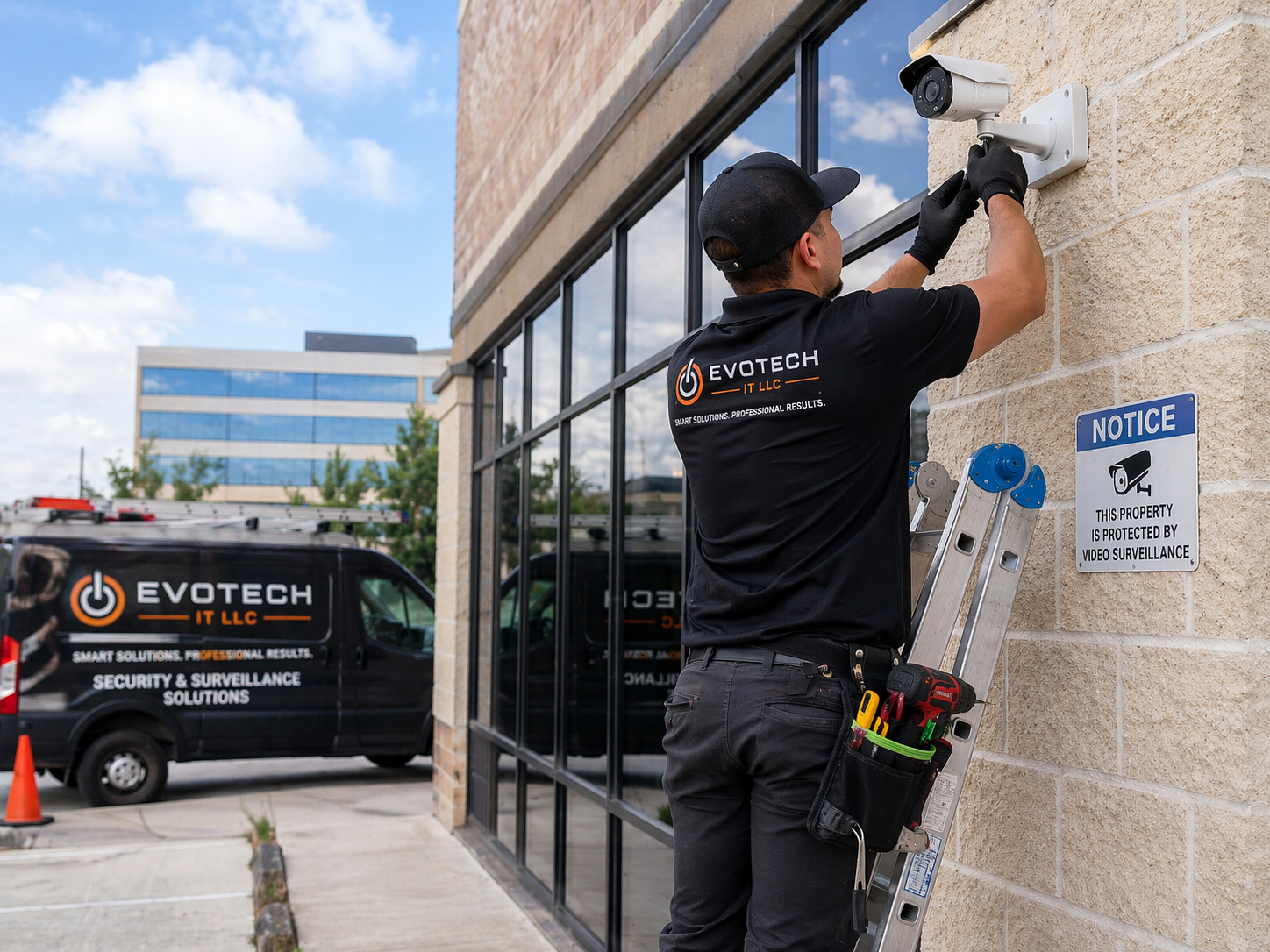
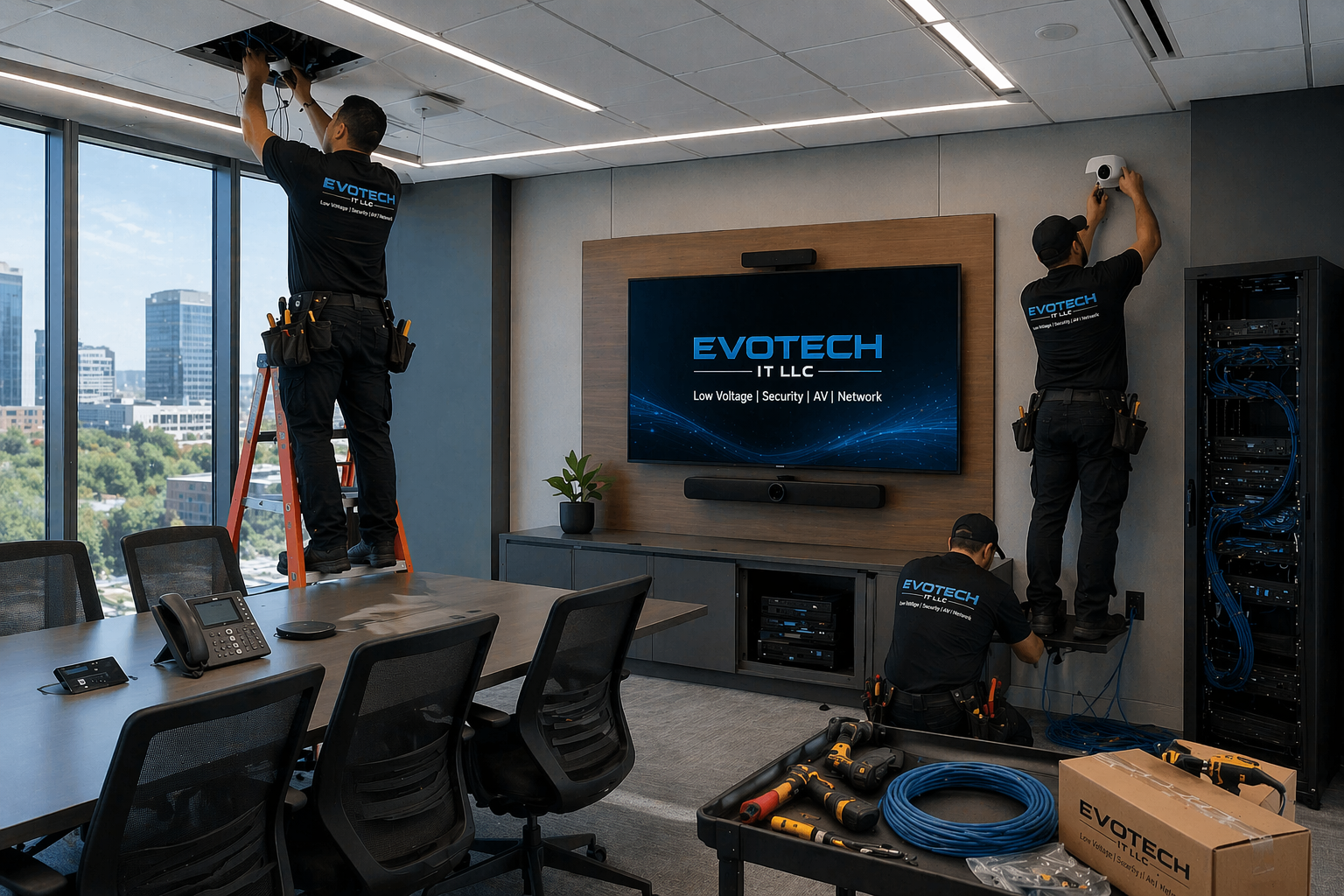
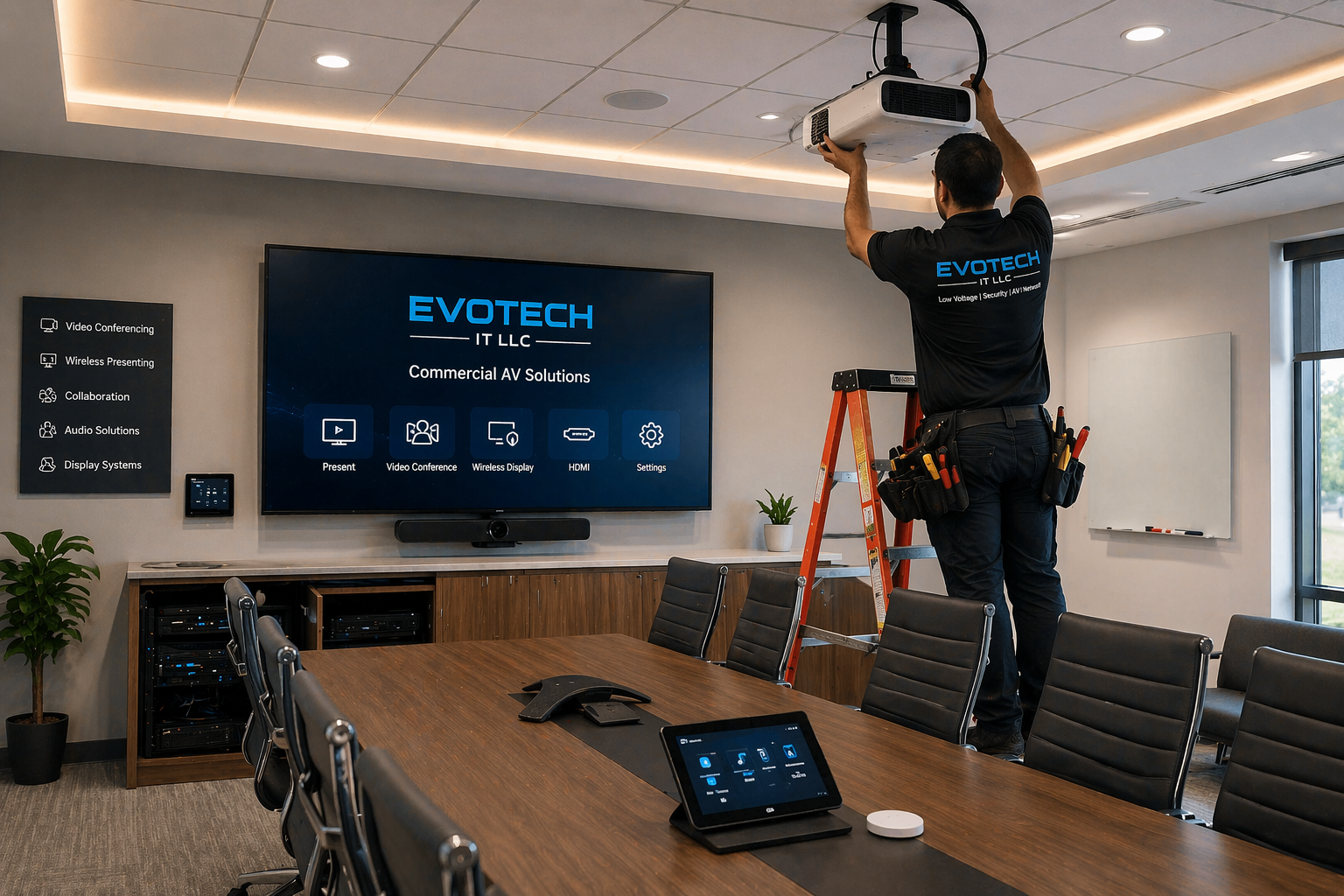
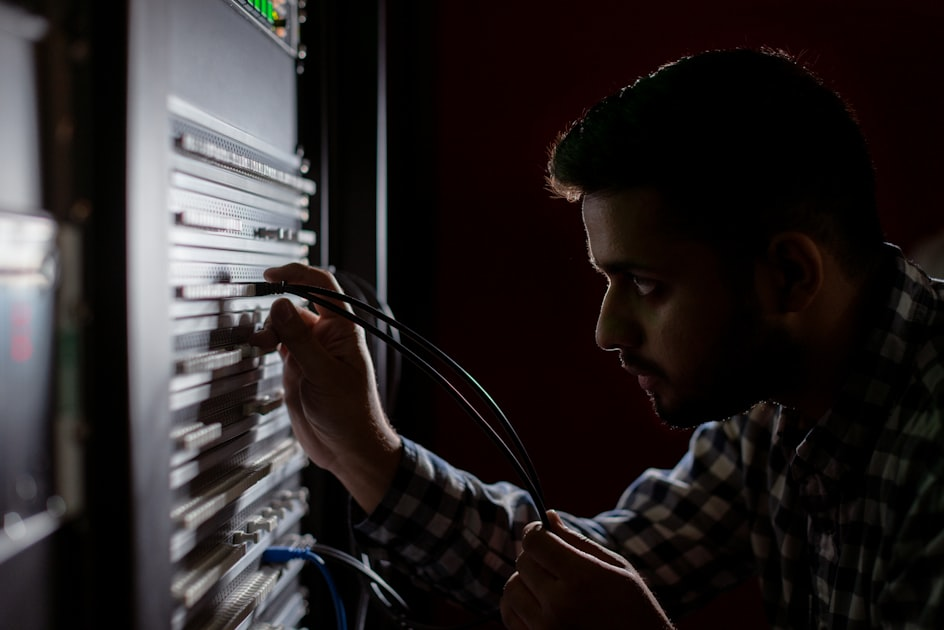
Professional scope for security cameras
- Camera placement planning for entrances, parking areas, lobbies, and critical zones
- PoE cabling, NVR/cloud setup, mobile viewing, and recording configuration
- Clean mounting, weather-aware placement, and image angle verification
- Expansion path for access control, alarms, and network infrastructure
Core EVOTECH services
- Security and surveillance solutions
- Security camera installation
- Security camera setup
- Security camera system installation
- Security camera system setup
- Security camera wiring
- Security camera cabling
- Security camera replacement
- Security camera upgrade
- Security camera troubleshooting
- Security camera repair
- Security camera maintenance
- Security camera inspection
- Security camera system design
- Security camera coverage planning
- Camera placement planning
- Camera angle adjustment
- Camera field-of-view setup
- Camera blind spot review
- CCTV camera systems
- CCTV installation
- CCTV installer
- CCTV camera installation
- CCTV camera setup
- CCTV system installation
- CCTV system setup
- Commercial CCTV installation
- Business CCTV installation
- Residential CCTV installation
- Video surveillance installation
- Video surveillance systems
- Video surveillance setup
- Commercial video surveillance
- Business video surveillance
- Residential video surveillance
- Office surveillance systems
- Office security camera installation
- Warehouse surveillance systems
- Warehouse security camera installation
- Retail security camera systems
- Retail store camera installation
- Restaurant security camera installation
- Parking lot camera installation
- Building perimeter camera installation
- Outdoor security camera installation
- Indoor security camera installation
- IP surveillance systems
- IP camera installation
- IP camera setup
- IP camera system installation
- PoE security camera installation
- PoE camera setup
- PoE camera wiring
- PoE camera cabling
- PoE switch installation
- PoE injector setup
- Network switch setup for cameras
- NVR installation
- NVR setup
- NVR configuration
- NVR camera system installation
- NVR storage planning
- NVR storage upgrade
- Hard drive replacement for NVR
- DVR installation
- DVR setup
- DVR configuration
- DVR camera system installation
- Camera recorder installation
- Camera recorder setup
- Camera recording setup
- Local recording setup
- Cloud camera setup
- Hybrid camera recording setup
- Continuous recording setup
- Motion recording setup
- Event recording setup
- Recording schedule setup
- Camera playback setup
- Camera video export setup
- Evidence video export support
- Remote viewing setup
- Remote viewing camera setup
- Mobile app camera setup
- Phone camera viewing setup
- Tablet camera viewing setup
- Desktop camera viewing setup
- Camera user account setup
- Camera password setup
- Camera notification setup
- Camera alert setup
- Motion detection setup
- Smart detection setup
- Human detection setup
- Vehicle detection setup
- Camera privacy zone setup
- Security monitor setup
- Camera monitor setup
- TV monitor camera display setup
- Multi-camera display setup
- Wall-mounted camera installation
- Ceiling-mounted camera installation
- Pole-mounted camera installation
- Exterior camera mounting
- Weatherproof camera installation
- Night vision camera setup
- Infrared camera setup
- Wide-angle camera setup
- PTZ camera installation
- Pan tilt zoom camera setup
- Dome camera installation
- Bullet camera installation
- Turret camera installation
- Fisheye camera installation
- License plate camera installation
- LPR camera setup
- Front door camera installation
- Doorbell camera installation
- Entryway camera installation
- Driveway camera installation
- Garage camera installation
- Lobby camera installation
- Reception area camera installation
- Cash register camera installation
- POS area camera installation
- Stock room camera installation
- Loading dock camera installation
- Gate camera installation
- Fence line camera installation
- Back door camera installation
- Security camera Cat6 cabling
- Camera network cabling
- Ethernet camera wiring
- Low-voltage camera wiring
- Camera cable installation
- Camera cable replacement
- Camera cable tracing
- Camera cable testing
- NVR camera cabling
- Camera junction box installation
- Camera power supply setup
- Exterior cable routing
- Conduit camera wiring
- Attic camera wiring
- Ceiling camera wiring
- Wall camera wiring
- Cable concealment for cameras
- Clean camera cable management
- Camera IP address configuration
- Camera VLAN planning
- Camera network setup
- Camera firmware update
- Camera system optimization
- Camera image quality adjustment
- Camera focus adjustment
- Camera lens adjustment
- Camera recording quality setup
- Camera system expansion
- Adding cameras to existing system
- Replacing old cameras
- Upgrading analog cameras to IP
- Analog camera replacement
- Coax to IP camera upgrade
- Business surveillance upgrade
- Home surveillance upgrade
- Camera system cleanup
- Camera system documentation
- Camera handoff and training
- Commercial camera consultation
- Residential camera consultation
- Access control camera integration
- Door access camera integration
- Intercom camera integration
- Alarm camera integration
- Smart home camera integration
- UniFi Protect installation
- Ubiquiti camera installation
- Reolink camera installation
- Hikvision camera installation
- Dahua camera installation
- Axis camera installation
- Lorex camera installation
- Amcrest camera installation
- Ring camera installation
- Google Nest camera installation
- Arlo camera installation
- Verkada camera coordination
- Alarm.com camera setup
- Small business camera installation
- Medical office camera installation
- Dental office camera installation
- Clinic security camera installation
- Restaurant camera installation
- Church camera installation
- School camera installation
- Daycare camera installation
- Gym camera installation
- Salon camera installation
- Auto shop camera installation
- Warehouse surveillance setup
- Office surveillance setup
- Apartment camera installation
- HOA camera installation
- Construction site camera setup
- Temporary camera setup
- Jobsite camera setup
What to look for when hiring an installer
Business identity
Real local service area, real phone number, real website, business email/domain, and clear company name.
Proof of work
Real photos, before-and-after examples, and a real project portfolio.
Reputation
Google reviews, recent customer feedback, and verified local business profiles.
Professional process
Testing, certification, programming, calibration, documentation, labeling, and final walkthrough when applicable.
Safety and risk
Licensed and insured, with a clear warranty, quality workmanship, and a code-aware approach.
Fast response
A clear call button, text/quote form, email, and direct contact for urgent installs.
Find & verify EVOTECH IT LLC online
These links help visitors verify the business across places where consumers commonly check before hiring a contractor, installer, or service provider.
Company trust links
Manufacturers & platforms we work with
What separates a real pro from a handyman?
- They speak in trade-specific terms and explain the installation path clearly.
- They document the scope, parts, wiring, equipment, programming, and handoff.
- They test, label, calibrate, or verify the system before calling the job complete.
- They show real proof: reviews, project photos, local listings, and direct contact information.
Questions to ask before hiring
- Do you handle the full installation or only part of it?
- Do you provide testing, certification, calibration, or final walkthrough?
- Can you show real photos of similar work?
- Do you provide an onsite quote and written scope?
Request a quote for Security Camera Wiring Fulshear TX
Tell EVOTECH what you need installed, how many drops, doors, cameras, rooms, TVs, phones, or access points, and whether this is residential or commercial.
FAQ
What is included in professional security and surveillance solutions?
Professional security and surveillance solutions include the complete planning, installation, wiring, camera placement, recorder setup, remote viewing setup, mobile app setup, recording configuration, system testing, and customer handoff needed to create a reliable camera system for a home, office, warehouse, restaurant, retail store, medical office, church, school, daycare, auto shop, commercial property, or small business. A real security camera installation is not only about placing cameras on a wall. A professional security surveillance system should be designed to help the customer see the right areas, record useful footage, reduce blind spots, access video easily, and maintain a clean professional installation. For customers in Katy TX, Houston TX, Cypress TX, Sugar Land TX, Richmond TX, Fulshear TX, Brookshire TX, Cinco Ranch TX, Memorial Houston TX, and Energy Corridor Houston TX, security and surveillance solutions may include security camera installation, CCTV camera systems, IP surveillance systems, PoE security camera installation, NVR setup, DVR setup, office surveillance, warehouse surveillance, retail security camera systems, restaurant camera installation, parking lot camera installation, outdoor security camera installation, indoor security camera installation, mobile app camera setup, remote viewing camera setup, and security camera troubleshooting. The first part of a professional security camera system is planning. A security camera installer should review the building or property before installing equipment. Important areas may include front doors, back doors, side entrances, gates, driveways, garages, parking lots, lobbies, reception areas, offices, registers, POS areas, stock rooms, loading docks, warehouses, hallways, stairways, fence lines, apartment common areas, retail aisles, restaurant entrances, medical office reception desks, daycare entrances, school hallways, church entrances, and business storage rooms. The goal is to identify the locations where cameras will provide the most useful coverage. Camera placement planning is one of the most important parts of video surveillance installation. A camera must be positioned at the right height, angle, and distance to capture useful video. A camera that is too high may only show the top of a person’s head. A camera pointed toward bright sunlight may have poor image quality. A camera mounted too low may be easy to tamper with. A camera placed without considering night vision may reflect infrared light from a wall or soffit and create a washed-out image. Professional camera coverage planning, camera angle adjustment, camera field-of-view setup, camera blind spot review, and camera image quality adjustment all help create a better final system. A professional security surveillance solution may use several different camera types. Dome camera installation may work well for indoor ceilings, offices, retail stores, restaurants, and commercial buildings. Bullet camera installation may work well for outdoor walls, driveways, parking lots, and building perimeters. Turret camera installation is popular for many security camera systems because it provides flexible aiming and clean appearance. PTZ camera installation allows pan, tilt, and zoom control for larger areas. License plate camera installation or LPR camera setup may be useful for gates, driveways, parking lots, and vehicle entrances. Doorbell camera installation may be useful for front door coverage. Wide-angle cameras and fisheye camera installation can help cover larger indoor areas. Wiring is another core part of the job. Modern IP camera installation and PoE camera installation usually depend on camera network cabling, security camera Cat6 cabling, PoE camera cabling, NVR camera cabling, Ethernet camera wiring, low-voltage camera wiring, camera cable installation, camera cable testing, cable concealment for cameras, exterior cable routing, conduit camera wiring, attic camera wiring, ceiling camera wiring, and clean camera cable management. A professional installer should make the cabling clean, protected, and serviceable. The recorder is the heart of many camera systems. NVR installation and NVR configuration are common for IP surveillance systems. DVR installation and DVR configuration may be used for older CCTV camera systems or analog camera systems. A professional camera recorder setup should include camera naming, recording schedule setup, continuous recording, motion recording, event recording, camera storage planning, playback setup, local recording setup, cloud camera setup when applicable, hybrid camera recording setup, and evidence video export support. A camera system is only useful if the customer can find and export footage when needed. Remote viewing setup is also important. Many homeowners and business owners want to see live cameras from a phone, tablet, desktop computer, or security monitor. Mobile app camera setup, phone camera viewing setup, tablet camera viewing setup, desktop camera viewing setup, camera user account setup, camera password setup, camera notification setup, motion detection setup, smart detection setup, human detection setup, vehicle detection setup, camera alert setup, and privacy zone setup help the customer use the system properly. Professional security and surveillance solutions should end with testing and training. The installer should verify that each camera is online, each camera is named correctly, the NVR or DVR is recording, remote viewing works, mobile app access works, motion alerts work, night vision works, the monitor displays properly, and the customer understands how to use the system. EVOTECH IT LLC provides security camera installation, CCTV camera systems, IP surveillance systems, NVR/DVR setup, office surveillance, warehouse surveillance, retail security camera systems, remote viewing setup, camera cabling, camera troubleshooting, and camera system upgrades for homes and businesses that need reliable and professional surveillance.
How do I choose the right CCTV camera system, IP surveillance system, NVR system, or DVR system?
Choosing the right CCTV camera system, IP surveillance system, NVR system, or DVR system depends on the property type, the number of cameras needed, the wiring options, the recording requirements, the internet connection, the desired image quality, the viewing method, and whether the system is for a home, office, warehouse, restaurant, retail store, school, church, daycare, medical office, auto shop, apartment complex, HOA, construction site, or commercial building. A professional security camera installer should help the customer choose the right system based on real use, not just the cheapest camera package. CCTV camera systems are often used as a general term for security camera systems, but they can refer to older analog camera systems, coax-based systems, DVR camera systems, or modern video surveillance systems. DVR setup is common when the customer has analog cameras or wants to reuse existing coax cable. A DVR camera system installation may be useful when upgrading older cameras without replacing every cable. However, older analog camera systems may have limitations in image quality, remote access, camera flexibility, and future expansion. IP surveillance systems are modern network-based camera systems. IP camera installation usually uses Ethernet cable and often PoE camera installation. PoE stands for Power over Ethernet, which means one Cat6 or network cable can carry both power and data to the camera. IP surveillance systems often connect to an NVR instead of a DVR. NVR setup is common for modern security camera systems because it works well with PoE cameras, network switches, remote viewing, mobile app camera setup, and higher-resolution video. IP camera installation is often recommended for commercial security camera installation, business security camera installation, warehouse surveillance, office surveillance, retail security camera systems, and larger properties. The first question is whether the customer needs a residential system or a commercial system. A home security camera installation may focus on the front door, driveway, garage, backyard, side gate, entryway, porch, and doorbell camera. A business security camera installation may focus on entrances, exits, lobbies, reception areas, offices, registers, POS areas, warehouse aisles, loading docks, parking lots, gates, employee areas, stock rooms, and building perimeter coverage. Commercial video surveillance usually requires more planning because there are more cameras, more users, more important recordings, and more liability concerns. The second question is whether the customer wants wired camera installation or wireless camera installation. Wired camera installation, especially PoE camera installation, is usually stronger for long-term reliability. Security camera Cat6 cabling, camera network cabling, PoE camera cabling, NVR camera cabling, Ethernet camera wiring, and low-voltage camera wiring help create a stable connection. Wireless camera installation may be useful in certain homes, small spaces, or temporary camera setups, but it depends on WiFi strength, battery life, signal reliability, and cloud service limitations. For businesses, wired IP surveillance systems are often more professional and reliable. The third question is how video should be recorded. NVR installation provides local recording for IP cameras. DVR installation provides local recording for analog cameras. Cloud camera setup stores video online or provides remote access features through a service. Hybrid camera recording setup may combine local recording and cloud access. The right choice depends on storage needs, privacy preferences, monthly subscription tolerance, internet speed, and how long the customer wants to keep video. Camera storage planning, NVR storage upgrade, hard drive replacement for NVR, recording schedule setup, continuous recording, motion recording, and event recording should be discussed before installation. The fourth question is what camera types are needed. Dome cameras may work well indoors and in commercial spaces. Bullet cameras may be good for outdoor walls and longer views. Turret cameras are useful for flexible aiming and clean installation. PTZ cameras can monitor larger areas with pan, tilt, and zoom. License plate cameras or LPR cameras may be needed for vehicle entrances, gates, parking lots, and driveways. Doorbell cameras may be useful for home entry points. Fisheye cameras or wide-angle cameras can cover larger indoor spaces. The right camera type depends on the location and purpose. The fifth question is image quality. A camera system should provide clear video during the day and at night. Night vision camera setup, infrared camera setup, camera focus adjustment, camera lens adjustment, camera angle adjustment, camera recording quality setup, and camera system optimization are important. A camera that looks good in a demo may not perform well at night, in direct sunlight, in a parking lot, or at a long distance. Professional camera placement and adjustment help make video more useful. The sixth question is remote access. Most customers want remote viewing camera setup, mobile app camera setup, phone camera viewing setup, tablet camera viewing setup, desktop camera viewing setup, security monitor setup, and multi-camera display setup. Business owners may want multiple users with different access levels. Homeowners may want alerts for motion or human detection. A professional installer should configure camera user accounts, passwords, notifications, privacy zones, and alert settings carefully. The seventh question is future expansion. A customer may start with four cameras and later add more. Camera system expansion, adding cameras to an existing system, PoE switch installation, network switch setup for cameras, NVR channel capacity, storage capacity, and cable pathway planning all matter. A system that cannot expand may become a problem later. EVOTECH IT LLC helps customers choose between CCTV camera systems, IP surveillance systems, NVR setup, DVR setup, PoE camera installation, wired camera installation, wireless camera installation, local recording setup, cloud camera setup, and hybrid recording systems. The best security camera system is the one that provides useful coverage, clean wiring, reliable recording, easy remote viewing, strong image quality, and room for future growth.
Why are office surveillance, warehouse surveillance, and retail security camera systems different from basic home cameras?
Office surveillance, warehouse surveillance, and retail security camera systems are different from basic home cameras because commercial properties usually need more coverage, stronger reliability, better recording, cleaner wiring, more users, larger storage, better camera placement, and more professional system design. A home security camera installation may only need a few cameras around the front door, driveway, garage, and backyard. A business security camera installation may need cameras for entrances, exits, offices, employee areas, warehouses, registers, parking lots, retail aisles, stock rooms, loading docks, gates, and customer areas. Office surveillance systems are designed to protect business spaces, employees, visitors, equipment, records, reception areas, hallways, entry points, and shared work areas. Office security camera installation may include lobby camera installation, reception area camera installation, hallway camera installation, entryway camera installation, conference room entrance coverage, IT closet coverage, storage area cameras, and parking lot camera installation. An office surveillance system may also need remote viewing setup, mobile app camera setup, NVR setup, camera monitor setup, and clean camera cable management so the system looks professional and does not interfere with the office design. Warehouse surveillance systems are usually more complex. A warehouse security camera installation may need cameras for loading docks, receiving areas, shipping areas, inventory aisles, exterior gates, parking lots, employee entrances, forklift paths, storage racks, and large open spaces. Warehouse surveillance may require wide-angle cameras, bullet cameras, turret cameras, PTZ camera installation, exterior camera mounting, pole-mounted camera installation, night vision camera setup, infrared camera setup, and weatherproof camera installation. Warehouses often have higher ceilings, longer cable paths, metal structures, and larger coverage zones, so professional planning is important. Retail security camera systems have different priorities. A retail store camera installation may focus on entrances, cash registers, POS areas, checkout counters, product displays, stock rooms, aisles, employee areas, and customer interaction zones. Retail security camera systems are often used for loss prevention, customer safety, employee safety, transaction review, and incident documentation. POS area camera installation, cash register camera installation, stock room camera installation, lobby camera installation, and multi-camera display setup are common. A retail store may also need remote viewing camera setup so the owner or manager can check the store from a phone. Restaurant security camera installation has its own needs. Restaurants may need cameras for front entrances, dining areas, registers, bars, kitchens, back doors, storage rooms, patios, parking lots, and delivery areas. Restaurant surveillance systems should be planned carefully to cover business-critical areas while respecting customer and employee privacy. Camera placement planning, privacy zone setup, recording schedule setup, mobile app camera setup, and security monitor setup are important. Commercial security camera installation often requires more professional wiring than basic home cameras. Many consumer home cameras depend on WiFi and cloud subscriptions. Commercial video surveillance usually benefits from wired camera installation, IP camera installation, PoE camera installation, security camera Cat6 cabling, camera network cabling, NVR camera cabling, Ethernet camera wiring, low-voltage camera wiring, and PoE switch installation. Wired camera systems are often more stable for businesses because they do not depend only on WiFi signal. Commercial systems also need better recording management. NVR installation, NVR configuration, camera recorder setup, local recording setup, cloud camera setup, hybrid recording setup, recording schedule setup, continuous recording, motion recording, event recording, camera playback setup, and evidence video export support are important for businesses. If a business needs footage after an incident, the system must be easy to search and export. A camera that only records short clips or overwrites footage too quickly may not meet the business need. Business camera systems often need multiple users. A manager, owner, office administrator, security person, or operations supervisor may need access. Mobile app camera setup, phone camera viewing setup, desktop camera viewing setup, camera user account setup, camera password setup, and remote viewing setup should be configured securely. A professional installer should not leave the system with weak passwords, confusing access, or unclear instructions. Commercial systems also need better camera naming and documentation. A business with 16 cameras should not have cameras named “Camera 1” through “Camera 16” without context. Cameras should be named by location, such as Front Door, Back Door, Lobby, Register 1, Parking Lot, Warehouse Aisle, Loading Dock, or Office Hallway. Camera system documentation, camera handoff and training, camera monitor setup, and final testing help the customer use the system. Office surveillance, warehouse surveillance, and retail security camera systems may also connect with other low-voltage systems. Access control camera integration, door access camera integration, intercom camera integration, alarm camera integration, and smart building integration can help create a more complete security solution. Cameras may support access control doors, gates, intercom systems, alarms, and business network infrastructure. EVOTECH IT LLC provides office surveillance, warehouse surveillance, retail security camera systems, commercial security camera installation, business video surveillance, IP surveillance systems, CCTV camera systems, NVR/DVR setup, PoE camera cabling, remote viewing setup, mobile app camera setup, and security camera system upgrades. Commercial surveillance requires professional planning, clean wiring, reliable recording, useful camera placement, and a system the business can actually use every day.
What should I ask before hiring a security and surveillance installer?
Before hiring a security and surveillance installer, security camera company, CCTV installer, surveillance camera contractor, IP camera installer, low-voltage security camera installer, or commercial video surveillance provider, you should ask questions that show whether the company understands camera placement, wiring, recorder setup, remote viewing, mobile app setup, recording configuration, commercial coverage, and final system testing. A professional security camera installer should not simply install cameras and leave. The installer should create a system that records useful video, covers the right areas, looks clean, works reliably, and is easy for the customer to use. The first question is whether the company handles the exact type of security surveillance solution you need. Some customers need home security camera installation. Others need commercial security camera installation, office surveillance, warehouse surveillance, retail security camera systems, restaurant camera installation, parking lot camera installation, CCTV camera systems, IP surveillance systems, NVR setup, DVR setup, PoE camera installation, mobile app camera setup, or camera system upgrades. A company that only installs simple consumer cameras may not be the right fit for a business surveillance system. The second question is how the company plans camera placement. A professional installer should ask what you need to see and why. Do you need front door coverage, back door coverage, driveway coverage, parking lot coverage, register coverage, warehouse aisle coverage, loading dock coverage, gate coverage, lobby coverage, reception area coverage, stock room coverage, or office hallway coverage? Camera placement planning, camera coverage planning, camera angle adjustment, camera field-of-view setup, and camera blind spot review help create a better surveillance system. The third question is whether the company provides wired camera installation and PoE camera cabling. For many professional security camera systems, wired IP camera installation is more reliable than basic WiFi cameras. Ask if the installer handles security camera Cat6 cabling, camera network cabling, PoE camera cabling, NVR camera cabling, Ethernet camera wiring, low-voltage camera wiring, camera cable installation, camera cable testing, exterior cable routing, conduit camera wiring, attic camera wiring, ceiling camera wiring, wall camera wiring, cable concealment for cameras, and clean camera cable management. The fourth question is what type of recording system they recommend. Ask about NVR installation, DVR installation, local recording setup, cloud camera setup, hybrid camera recording setup, recording schedule setup, continuous recording, motion recording, event recording, camera playback setup, NVR storage planning, hard drive replacement for NVR, NVR storage upgrade, and evidence video export support. A surveillance system is only valuable if it records the right video and makes that video easy to find. The fifth question is whether remote viewing is included. Many homeowners and business owners want to see cameras from a phone, tablet, computer, or monitor. Ask about remote viewing camera setup, mobile app camera setup, phone camera viewing setup, tablet camera viewing setup, desktop camera viewing setup, camera user account setup, camera password setup, camera notification setup, camera alert setup, motion detection setup, human detection setup, vehicle detection setup, and privacy zone setup. The sixth question is whether the installer tests each camera before leaving. A professional installer should verify camera image quality, camera focus, camera lens adjustment, camera recording quality, night vision, infrared performance, motion detection, recording, playback, remote viewing, monitor display, and mobile app access. Camera system optimization and final testing are important because a system may look installed but still fail to record properly. The seventh question is whether the installer can support your camera platform. Some customers use UniFi Protect, Ubiquiti cameras, Reolink cameras, Hikvision cameras, Dahua cameras, Axis cameras, Lorex cameras, Amcrest cameras, Ring cameras, Google Nest cameras, Arlo cameras, Alarm.com cameras, Verkada systems, or other surveillance platforms. Each platform has different requirements for wiring, recording, remote access, user accounts, and system management. The eighth question is whether the company understands commercial surveillance. Office surveillance, warehouse surveillance, retail security camera systems, restaurant security camera systems, medical office camera installation, dental office camera installation, church camera installation, school camera installation, daycare camera installation, gym camera installation, salon camera installation, and auto shop camera installation all require different planning. A professional business security camera installer should understand commercial camera placement, clean cabling, recording storage, camera naming, manager access, and future expansion. The ninth question is whether the camera system can grow. Ask about adding cameras to an existing system, camera system expansion, PoE switch installation, network switch setup for cameras, NVR channel capacity, camera storage planning, and future cable pathways. A small business may start with four cameras and later need eight, sixteen, or more. Planning for expansion helps avoid wasted money later. The tenth question is whether the company has real local proof. Look for a real business name, real phone number, real website, local service area, service pages, project photos, Google reviews, directory listings, and clear contact options. A security and surveillance installer serving Katy TX, Houston TX, Cypress TX, Sugar Land TX, Richmond TX, Fulshear TX, Brookshire TX, Cinco Ranch TX, Memorial Houston TX, and Energy Corridor Houston TX should have clear local relevance and professional service details. EVOTECH IT LLC provides security and surveillance solutions, security camera installation, CCTV camera systems, IP surveillance systems, NVR/DVR setup, office surveillance, warehouse surveillance, retail security camera systems, commercial video surveillance, PoE camera cabling, remote viewing setup, mobile app camera setup, security camera troubleshooting, and camera system upgrades. Before hiring a security surveillance contractor, ask the right questions and choose a company that can deliver clean installation, reliable recording, useful coverage, and professional support.
Ready to make EVOTECH the obvious choice?
Katy/Houston expert for low-voltage, network cabling, access control, cameras, AV, and business technology installation.
Nearby areas & related services
Ready for EVOTECH to help?
Before you leave, send the quick version. We will review the page you came from and reply with the clean next step.