
Start your EVOTECH request in under a minute.

Commercial Audio Video Installation Cypress TX
Professional, reliable installation for homes and businesses across Katy, Houston, and the surrounding areas — clean workmanship, clear communication, and a fast, free quote.
Why customers choose EVOTECH IT LLC
Customers are not only looking for a company name. They are looking for proof that the company can perform the exact work, is truly local, has real examples, and understands the technical details.
- Exactly what we do: Commercial Audio Video Installation Cypress TX — installed properly, tested, and done right.
- Local relevance: service area includes Katy, Houston, Sugar Land, Cypress, Richmond, Fulshear, Brookshire, and West Houston.
- Proof of work: real project photos, documented installations, and verifiable local reviews.
- Professional depth: testing, documentation, programming, calibration, and warranty-quality workmanship where it applies.
- Easy to reach: a clear phone number, quote form, and a real local business you can verify.
EVOTECH position
“Katy/Houston expert for low-voltage, network cabling, access control, cameras, AV, and business technology installation.”
Professional, insured, and business-ready installation standards
Clean workmanship, labeled installation, and final testing on applicable systems
Real project photos and visual proof
Recent EVOTECH IT LLC installations from around the Katy and Houston area.
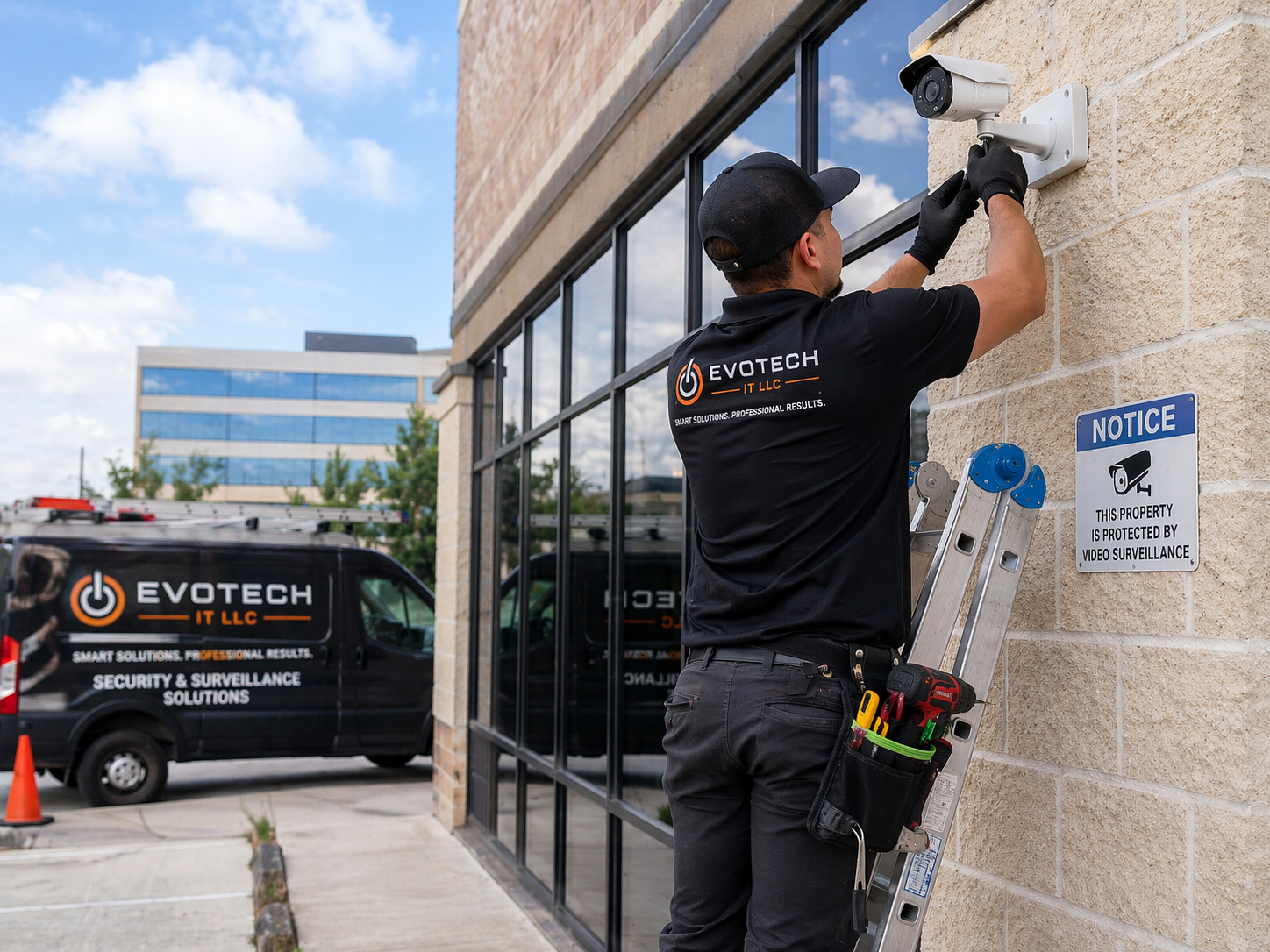
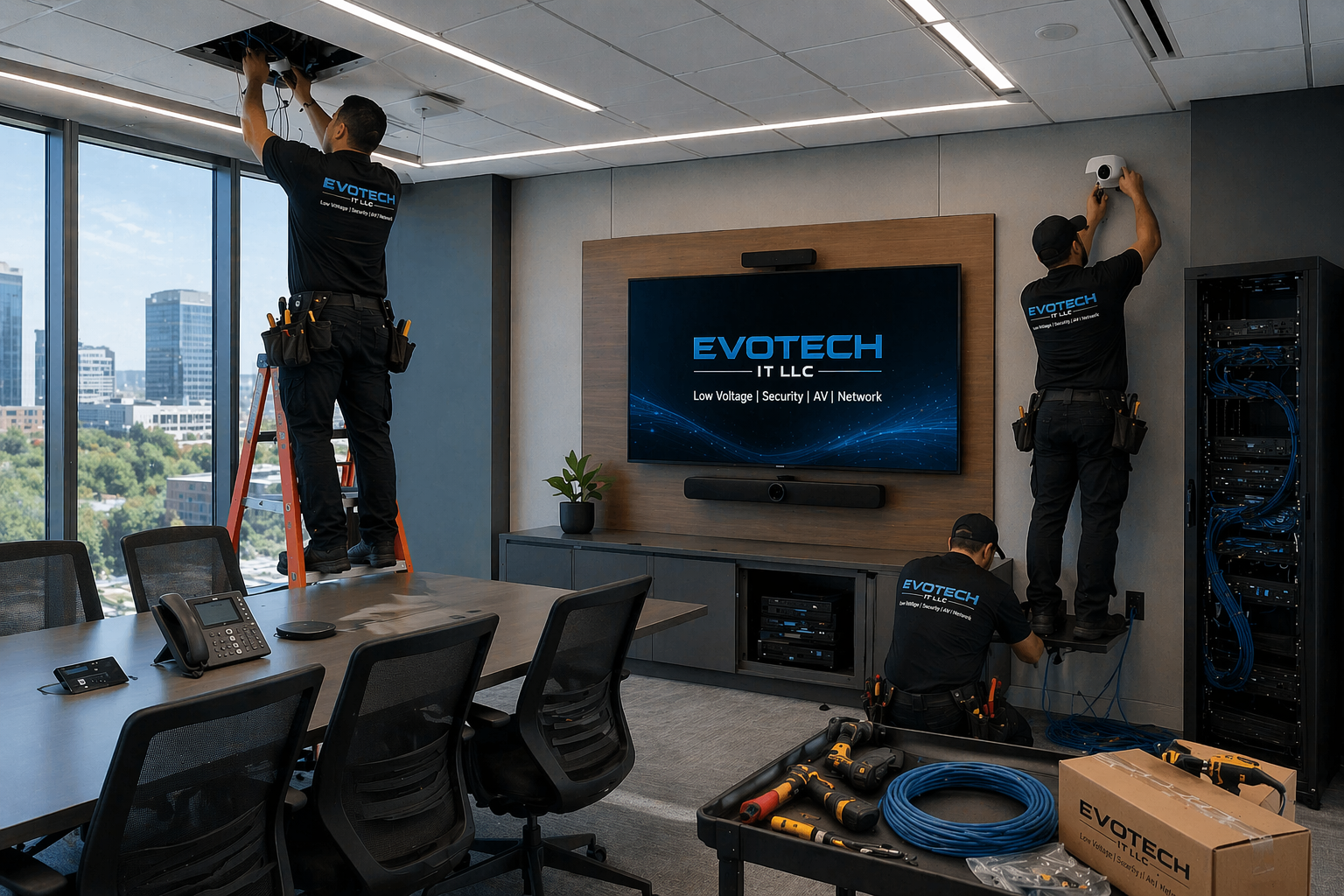
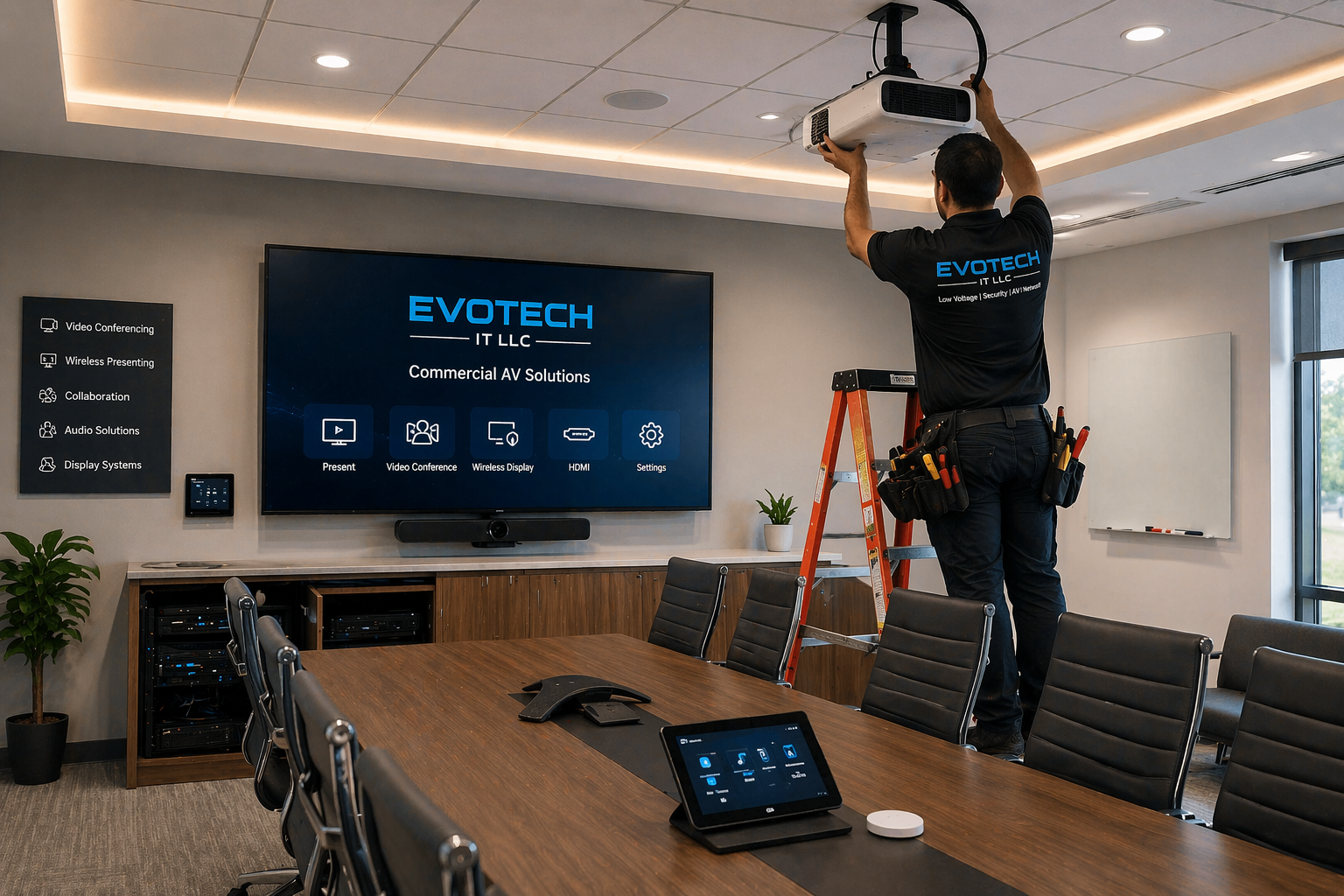
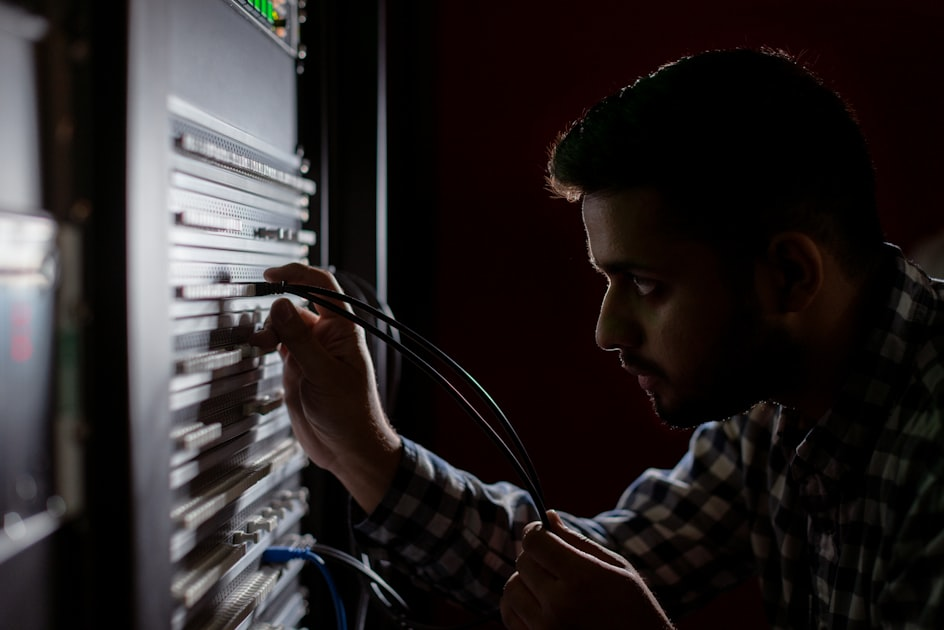
Professional scope for audio/video
- TV/projector, screen, receiver, speaker, and source-device setup
- Surround sound planning, wire concealment, and room-ready integration
- Receiver configuration, calibration basics, and user-friendly handoff
- Smart home, streaming, conference room, or media room integration
Core EVOTECH services
- Commercial AV installation
- Commercial audio video installation
- Business AV installation
- Office AV installation
- Conference room AV systems
- Conference room AV installation
- Conference room audio video setup
- Conference room TV mounting
- Conference room display installation
- Conference room projector installation
- Conference room screen mounting
- Conference room presentation systems
- Conference room sound system installation
- Boardroom AV installation
- Boardroom audio video setup
- Boardroom TV mounting
- Boardroom projector installation
- Boardroom presentation system setup
- Meeting room AV installation
- Meeting room display installation
- Meeting room projector installation
- Meeting room presentation system setup
- Training room AV installation
- Training room projector installation
- Training room screen installation
- Training room presentation system setup
- Office TV installation
- Office TV mounting
- Office display installation
- Commercial TV mounting
- Commercial TV installation
- Business TV mounting
- Lobby TV installation
- Reception TV installation
- Waiting room TV installation
- Customer display installation
- Digital signage installation
- Digital signage setup
- Digital signage display mounting
- Digital signage player setup
- Commercial digital signage
- Business digital signage
- Office digital signage
- Retail digital signage
- Restaurant digital signage
- Lobby digital signage
- Menu board installation
- Video wall installation
- Video wall setup
- Commercial video wall installation
- Business video wall setup
- Office video wall installation
- Lobby video wall installation
- Retail video wall installation
- Restaurant video wall installation
- Multi-screen display installation
- Multi-display AV setup
- Projector installation
- Commercial projector installation
- Projector mounting
- Ceiling projector installation
- Short throw projector installation
- Projector screen installation
- Motorized projector screen installation
- Fixed projector screen installation
- Screen mounting
- Commercial screen mounting
- Presentation system installation
- Business presentation system setup
- Wireless presentation setup
- HDMI presentation wiring
- USB-C presentation setup
- Display input wiring
- Conference table input setup
- AV wall plate installation
- Office sound system installation
- Commercial speaker installation
- Office speaker installation
- Ceiling speaker installation
- Wall speaker installation
- Background music system installation
- Paging system installation
- Office paging system setup
- Retail sound system setup
- Restaurant sound system setup
- Waiting room sound system setup
- Lobby audio system setup
- Commercial AV wiring
- Office AV wiring
- Conference room AV wiring
- Audio video wiring
- Low voltage AV wiring
- Display wiring
- Speaker wiring
- Projector wiring
- Presentation system wiring
- Cable concealment
- Wire management
- AV cable management
- In-wall AV cable concealment
- Clean AV wiring
- AV rack installation
- AV rack setup
- Equipment rack organization
- AV equipment cleanup
- Receiver setup
- Amplifier setup
- Audio mixer setup
- Commercial audio setup
- Commercial AV troubleshooting
- Conference room AV troubleshooting
- Projector troubleshooting
- Display troubleshooting
- Sound system troubleshooting
- Digital signage troubleshooting
- Video wall troubleshooting
- AV system upgrade
- Old AV system replacement
- Office AV consultation
- Commercial AV consultation
- Conference room AV design
- Presentation system design
- AV site survey
- Commercial AV planning
What to look for when hiring an installer
Business identity
Real local service area, real phone number, real website, business email/domain, and clear company name.
Proof of work
Real photos, before-and-after examples, and a real project portfolio.
Reputation
Google reviews, recent customer feedback, and verified local business profiles.
Professional process
Testing, certification, programming, calibration, documentation, labeling, and final walkthrough when applicable.
Safety and risk
Licensed and insured, with a clear warranty, quality workmanship, and a code-aware approach.
Fast response
A clear call button, text/quote form, email, and direct contact for urgent installs.
Find & verify EVOTECH IT LLC online
These links help visitors verify the business across places where consumers commonly check before hiring a contractor, installer, or service provider.
Company trust links
Manufacturers & platforms we work with
What separates a real pro from a handyman?
- They speak in trade-specific terms and explain the installation path clearly.
- They document the scope, parts, wiring, equipment, programming, and handoff.
- They test, label, calibrate, or verify the system before calling the job complete.
- They show real proof: reviews, project photos, local listings, and direct contact information.
Questions to ask before hiring
- Do you handle the full installation or only part of it?
- Do you provide testing, certification, calibration, or final walkthrough?
- Can you show real photos of similar work?
- Do you provide an onsite quote and written scope?
Request a quote for Commercial Audio Video Installation Cypress TX
Tell EVOTECH what you need installed, how many drops, doors, cameras, rooms, TVs, phones, or access points, and whether this is residential or commercial.
FAQ
What is included in a professional commercial AV installation?
A professional commercial AV installation includes the planning, wiring, mounting, configuration, testing, and handoff of audio video systems used inside business spaces. Commercial AV installation can include conference room AV systems, office AV installation, boardroom AV setup, meeting room display installation, training room projector installation, commercial TV mounting, video wall installation, digital signage installation, presentation system setup, office sound systems, paging systems, background music systems, commercial speaker installation, projector screen installation, and low voltage AV wiring. The goal is to create an audio video system that looks clean, works reliably, supports daily business operations, and is easy for employees, customers, guests, teachers, presenters, or managers to use. For a business in Katy TX, Houston TX, Cypress TX, Sugar Land TX, Richmond TX, Fulshear TX, or surrounding areas, commercial AV installation may start with a site survey. The installer reviews the room size, ceiling height, wall type, display location, projector throw distance, screen size, seating layout, lighting conditions, network access, power locations, cable paths, speaker placement, user needs, and the type of presentation system required. A conference room AV system is different from a restaurant digital signage system. A boardroom AV installation is different from a gym TV installation. A training room projector installation is different from a lobby video wall installation. Professional planning prevents the system from looking unfinished or becoming hard to use later. Conference room AV installation is one of the most common commercial AV services. A conference room may need a wall-mounted TV, commercial display, projector, motorized projector screen, fixed projector screen, conference table input plate, HDMI input, USB-C input, wireless presentation setup, speaker system, microphone system, camera system, or presentation control setup. The installer should understand conference room TV mounting, conference room projector installation, conference room screen mounting, conference room display installation, conference room sound system installation, and conference room AV wiring. The system should allow users to walk into the room, connect a laptop, start a meeting, share a presentation, and hear audio clearly without dealing with messy cables or confusing equipment. Projector installation is another major part of commercial AV work. A commercial projector installation may include ceiling projector mounting, short throw projector setup, ultra short throw projector coordination, projector screen installation, motorized projector screen installation, fixed screen mounting, signal wiring, power planning, projector alignment, image focus, image sizing, and final testing. Projector systems are used in boardrooms, classrooms, training rooms, churches, meeting rooms, conference spaces, and presentation areas. If the projector is mounted in the wrong position, the image may be crooked, too small, too dim, or misaligned with the screen. Professional projector mounting and projector wiring help avoid those problems. Commercial TV mounting and office display installation are also important. A business may need office TV installation, lobby TV installation, reception TV installation, waiting room TV installation, customer display installation, boardroom TV mounting, conference room TV mounting, or commercial TV installation for restaurants, retail stores, gyms, medical offices, dental offices, schools, churches, salons, warehouses, and professional offices. Commercial TV mounting requires secure attachment, correct height, clean cable concealment, power planning, signal routing, and display configuration. Large displays must be mounted safely and aligned properly, especially when used in public-facing areas. Digital signage installation is used when businesses want screens to show menus, announcements, promotions, company messaging, waiting room content, lobby content, retail offers, restaurant specials, directional information, or branded media. A digital signage installation may include display mounting, digital signage player setup, network connection, content source setup, HDMI wiring, power planning, cable management, and screen testing. Retail digital signage, restaurant digital signage, office digital signage, lobby digital signage, menu board installation, and commercial digital signage systems can help businesses communicate clearly with customers and visitors. Video wall installation is a higher-impact commercial AV service. A video wall may be used in a lobby, retail store, restaurant, command area, showroom, corporate office, church, training center, or presentation space. Video wall installation requires careful display alignment, bracket placement, wall support review, power planning, signal distribution, media player setup, bezel alignment, cable management, and testing. A professional commercial video wall installation should look clean and impressive, not like several uneven TVs placed together. Video wall setup is a strong visual upgrade for businesses that want a premium appearance. Office sound system installation may include commercial speaker installation, ceiling speaker installation, wall speaker installation, amplifier setup, mixer setup, background music system installation, paging system installation, office paging setup, restaurant sound system setup, retail sound system setup, lobby audio system setup, waiting room sound system setup, and conference room sound system setup. Sound must be planned carefully because poor speaker placement can create loud spots, dead zones, echo, unclear speech, or uneven background music. Professional office sound system installation balances coverage, volume, clarity, wiring, amplifier placement, and user controls. Commercial AV wiring is the foundation of the system. A clean installation may require low voltage AV wiring, conference room AV wiring, projector wiring, display wiring, speaker wiring, presentation system wiring, AV wall plate installation, cable concealment, in-wall AV cable concealment, AV rack installation, AV rack setup, equipment rack organization, and wire management. Poor wiring can cause signal failures, audio problems, ugly exposed cables, hard troubleshooting, or expensive rework. Professional AV wiring keeps the system organized and serviceable. A professional commercial AV installation should also include configuration and testing. The installer should test every display, projector, screen, speaker, input plate, digital signage player, video wall processor, amplifier, receiver, mixer, wireless presentation device, and cable connection. The customer should receive a final walkthrough explaining how to turn the system on, connect devices, change inputs, control volume, use presentation tools, and identify basic problems. This is especially important in conference rooms and boardrooms where employees need the system to work quickly. EVOTECH IT LLC provides commercial AV installation, conference room AV systems, projector installation, screen mounting, commercial TV mounting, video wall installation, digital signage installation, presentation system setup, office sound systems, commercial AV wiring, and business audio video installation. A professional commercial AV setup helps businesses look more modern, communicate clearly, reduce meeting frustration, improve customer experience, and create a cleaner technology environment.
How do I choose the right conference room AV system for my business?
Choosing the right conference room AV system for a business depends on room size, meeting style, number of users, display needs, audio needs, camera needs, presentation needs, cable path, network access, and how simple the system must be for employees. A professional conference room AV installation should make meetings easier, not more complicated. The best conference room AV systems are clean, reliable, easy to start, easy to connect to, and designed around how the business actually uses the room. The first decision is the display type. Some conference rooms work best with a large wall-mounted TV or commercial display. Others need a projector installation with a projector screen. A boardroom may need a premium large display. A training room may need a projector and motorized projector screen. A meeting room may need a simple TV mounting solution with wireless presentation. Conference room TV mounting, conference room display installation, conference room projector installation, conference room screen mounting, and boardroom AV installation all depend on the room layout and viewing distance. A TV-based conference room AV system is often easier for small and medium meeting rooms. Commercial TV mounting creates a clean display solution with strong brightness, simple startup, and less maintenance than many projector systems. A wall-mounted display may be used for presentations, video calls, dashboards, training content, and team meetings. Office TV installation, business TV mounting, conference room TV installation, and meeting room display installation are good choices when the room has normal lighting and the business wants a simple system. A projector-based conference room system is useful when the room is larger or when a very large image is needed. Conference room projector installation, ceiling projector installation, projector screen installation, motorized projector screen installation, and fixed projector screen installation may be used in larger conference rooms, boardrooms, classrooms, churches, training rooms, and presentation spaces. The installer must calculate projector throw distance, screen size, image height, ceiling mount location, cable path, and lighting conditions. A projector that is too dim or poorly aligned can make presentations hard to read. The second decision is presentation connectivity. A modern conference room may need HDMI presentation wiring, USB-C presentation setup, wireless presentation setup, conference table input setup, AV wall plate installation, display input wiring, and clean cable management. Employees may use Windows laptops, MacBooks, tablets, phones, or other devices. A professional presentation system installation should make it easy to share content without hunting for cables or changing settings for ten minutes before a meeting. Wireless presentation systems are popular because they reduce cable clutter. However, they still need proper network planning, display connection, power, and user training. Some businesses prefer a hardwired HDMI or USB-C input because it is predictable and simple. Others prefer both wired and wireless options. A professional commercial AV installer can help decide the best path for the room. The third decision is audio. A small meeting room may use the display speakers or a soundbar. A larger conference room may need ceiling speakers, wall speakers, amplifier setup, mixer setup, microphones, or a dedicated conference room sound system. Conference room audio video setup, office sound system installation, commercial speaker installation, and conference room sound system installation should focus on speech clarity. In meetings, clear voices matter more than loud volume. Poor audio can destroy a meeting even if the display looks good. The fourth decision is video conferencing. Some conference room AV systems need cameras, microphones, speakers, USB connectivity, and integration with Zoom, Microsoft Teams, Google Meet, or other meeting platforms. The room should be designed so remote participants can see and hear clearly. Camera position, microphone pickup, speaker placement, and table layout all matter. A professional AV installer should consider how the room will be used for hybrid meetings. The fifth decision is control simplicity. Many businesses do not want complicated control systems. They want a system employees can use without calling IT every time. A good conference room AV system may include labeled inputs, simple remotes, clear instructions, mounted controls, or a basic control interface. Presentation system setup should reduce confusion. A room with too many remotes, unlabeled cables, and hidden equipment will cause frustration. The sixth decision is wiring and equipment location. Conference room AV wiring may include display wiring, projector wiring, speaker wiring, microphone wiring, network cabling, HDMI wiring, USB cabling, power coordination, AV rack setup, and cable concealment. Clean wiring matters because conference rooms are client-facing spaces. Exposed cables, loose cords, messy equipment, and unstable connections make the room look unprofessional. In-wall AV cable concealment, AV wall plates, equipment rack organization, and clean wire management create a stronger finished result. The seventh decision is future growth. A business may start with a simple conference room TV installation and later add a camera, sound system, wireless presentation device, digital signage, or control system. A conference room AV design should allow reasonable upgrades. Using professional cabling, organized equipment, and proper mounting makes future service easier. For businesses in Katy TX, Houston TX, Cypress TX, Sugar Land TX, Richmond TX, Fulshear TX, Brookshire TX, Cinco Ranch TX, Memorial Houston TX, and Energy Corridor Houston TX, EVOTECH IT LLC provides conference room AV installation, boardroom AV setup, meeting room AV installation, training room projector installation, office TV mounting, commercial display installation, presentation system setup, office sound system installation, and clean commercial AV wiring. The right conference room AV system is not always the most expensive system. It is the system that fits the room, supports the users, looks clean, works every day, and allows meetings to start quickly. EVOTECH IT LLC helps businesses choose and install commercial AV systems that support presentations, training, video meetings, team collaboration, customer meetings, and daily business communication.
Why are digital signage and video wall installation valuable for businesses?
Digital signage and video wall installation are valuable for businesses because they turn screens into communication tools. A commercial display can do more than show television content. It can promote services, display menus, show announcements, guide visitors, support branding, improve customer experience, communicate safety messages, show company updates, display waiting room information, and make a business look more modern and professional. Digital signage installation and video wall installation are strong commercial AV services for offices, restaurants, retail stores, medical offices, dental offices, gyms, churches, schools, showrooms, lobbies, warehouses, and corporate spaces. Digital signage installation usually includes a display, mount, media player, content source, network connection, power planning, signal wiring, and clean cable management. A business can use digital signage for lobby messaging, menu boards, promotional screens, waiting room screens, employee announcements, retail offers, restaurant specials, directional signs, event schedules, service menus, or branded visuals. Commercial digital signage, business digital signage, office digital signage, retail digital signage, restaurant digital signage, lobby digital signage, and menu board installation help businesses communicate without printing constant signs. A restaurant may use digital signage to show menus, specials, happy hour promotions, wait times, events, or branded video. A retail store may use digital signage to promote products, sales, seasonal offers, and customer instructions. A medical office or dental office may use waiting room TV installation and lobby digital signage to show patient information, office updates, and service reminders. A gym may use displays for schedules, promotions, training videos, and member announcements. A church or school may use digital signage for event schedules, welcome messages, and announcements. Video wall installation creates an even stronger visual impact. A video wall uses multiple displays arranged together to create a larger visual canvas. Commercial video wall installation may be used in lobbies, restaurants, retail stores, showrooms, command areas, offices, conference spaces, churches, schools, and entertainment venues. A video wall can show one large image, multiple content zones, branded visuals, live feeds, presentations, dashboards, or promotional content. A professional video wall installation should be aligned carefully so the screens look even, clean, and intentional. A video wall is not just several TVs on a wall. It requires planning. The installer must review wall structure, display size, mount type, bezel alignment, power location, signal distribution, media source, player setup, cable routing, ventilation, service access, and content layout. Lobby video wall installation, retail video wall installation, restaurant video wall installation, office video wall installation, and business video wall setup require precision because any crooked display or exposed cable can reduce the premium look. Digital signage and video walls also help reduce staff workload. Instead of employees repeating the same information, screens can display instructions, service options, menus, promotions, check-in guidance, directions, or announcements. A waiting room display can answer common questions. A lobby screen can welcome visitors. A retail screen can promote offers. A restaurant screen can update menus. A conference center screen can show schedules. A gym screen can show class times. Good signage improves communication. Another benefit is brand perception. A business with clean digital signage installation, professional commercial TV mounting, organized wiring, and strong screen placement can look more modern and trustworthy. Customers often judge a business by what they see immediately. A clean lobby display, reception TV installation, video wall, menu board, or waiting room screen can make the company feel more established. Digital signage also supports flexibility. Printed signs become outdated quickly. Digital content can be changed more easily. A business can update promotions, announcements, hours, events, employee messages, and seasonal content. This is why office digital signage, retail digital signage, restaurant digital signage, lobby digital signage, and commercial display installation are useful for growing businesses. The technical side still matters. Digital signage player setup, network connection, HDMI wiring, display configuration, power planning, content source setup, screen mounting, and cable concealment must be done correctly. If the screen loses signal, loses internet, shows the wrong input, has visible wires, or is mounted poorly, it hurts the business image. A professional commercial AV installer should make the system reliable and clean. Video walls require even more attention to signal and control. Multi-screen display installation, multi-display AV setup, video wall processor setup, media player connection, display synchronization, power planning, and AV cable management are important. Troubleshooting a poorly installed video wall can be expensive. Professional installation helps avoid problems from the beginning. EVOTECH IT LLC provides digital signage installation, digital signage display mounting, digital signage player setup, commercial digital signage, menu board installation, video wall installation, commercial video wall setup, business video wall installation, retail display installation, restaurant display installation, lobby display installation, waiting room TV installation, commercial TV mounting, and clean AV wiring in Katy, Houston, Cypress, Sugar Land, Richmond, Fulshear, and surrounding areas. For businesses that want better communication, stronger branding, cleaner customer experience, and modern presentation, digital signage and video wall installation can be a smart investment. The right system should be easy to update, easy to view, cleanly mounted, professionally wired, and matched to the business environment.
What should I ask before hiring a commercial AV installer?
Before hiring a commercial AV installer, business AV installer, office AV installer, conference room AV installer, projector installer, digital signage installer, video wall installer, or office sound system installer, you should ask questions that show whether the company understands commercial spaces, low voltage AV wiring, display mounting, projector placement, screen mounting, speaker coverage, presentation systems, cable concealment, equipment setup, and final testing. Commercial AV installation affects how a business communicates, presents, trains, sells, and serves customers, so the installer should be more than someone who simply hangs a TV. The first question is whether the installer handles the specific commercial AV service you need. Some businesses need conference room AV systems. Others need commercial TV mounting, boardroom AV installation, meeting room display installation, training room projector installation, digital signage installation, video wall installation, presentation system setup, office sound system installation, paging system installation, or background music system installation. A strong commercial AV installer should clearly explain the scope and identify what hardware, wiring, mounting, and setup are included. The second question is whether the installer performs a site review. A professional commercial AV installation should consider wall type, ceiling type, power locations, cable paths, network access, room layout, viewing angles, lighting conditions, seating positions, speaker coverage, display size, projector throw distance, screen height, and user workflow. Without a site review, the business may end up with a screen that is too high, a projector that is too dim, a speaker system with poor coverage, or a presentation system that is hard to use. The third question is whether clean wiring and cable concealment are included. Commercial AV wiring, office AV wiring, conference room AV wiring, low voltage AV wiring, audio video wiring, projector wiring, speaker wiring, display wiring, presentation system wiring, cable concealment, AV wall plate installation, AV rack setup, and wire management are very important. Exposed wires in a conference room, lobby, restaurant, retail store, or office can look unprofessional. Clean wiring also makes future troubleshooting easier. The fourth question is whether the installer understands business presentation needs. A conference room or boardroom may require HDMI presentation wiring, USB-C presentation setup, wireless presentation setup, conference table input setup, AV wall plates, display input wiring, commercial TV mounting, projector screen installation, and a simple way for employees to connect laptops. A good presentation system installation should make meetings easier. If people waste time trying to connect, the system is not doing its job. The fifth question is whether audio is planned correctly. Office sound system installation, commercial speaker installation, ceiling speaker installation, wall speaker installation, paging system installation, background music system installation, conference room sound system setup, restaurant sound system setup, retail sound system setup, and lobby audio system setup all require planning. Speakers should be placed for coverage and clarity. Volume controls, amplifiers, mixers, and audio sources should be easy to use. Bad sound can make meetings difficult and customer areas uncomfortable. The sixth question is whether the company can handle digital signage or video walls. Digital signage installation requires display mounting, player setup, content source connection, network access, power planning, and cable management. Video wall installation requires precise display alignment, multi-screen mounting, signal distribution, and service planning. A business should ask whether the installer has experience with commercial digital signage, restaurant digital signage, retail digital signage, lobby digital signage, menu board installation, office video wall installation, retail video wall installation, and commercial video wall setup. The seventh question is whether the installer tests the full system. A professional commercial AV installer should test displays, projectors, screens, speakers, inputs, wireless presentation devices, digital signage players, video wall sources, amplifiers, remotes, and control points. The installer should confirm that the customer can turn the system on, select the correct input, adjust volume, display content, use the projector, operate the screen, and understand basic troubleshooting. The eighth question is whether the system is designed for future upgrades. A business may start with a single conference room TV installation and later add a camera, microphone, sound system, digital signage, or video wall. Clean wiring, labeled cables, proper mounting, and organized equipment make expansion easier. Commercial AV planning should consider both current needs and future growth. The ninth question is whether the company has local proof. A commercial AV installer serving Katy TX, Houston TX, Cypress TX, Sugar Land TX, Richmond TX, Fulshear TX, Brookshire TX, Cinco Ranch TX, Memorial Houston TX, and Energy Corridor Houston TX should show a real phone number, real business website, service area, project photos, reviews, service pages, and clear explanations of commercial AV services. Real proof helps reduce hiring risk. The tenth question is whether the installer understands the difference between residential AV and commercial AV. A home theater setup may focus on entertainment. A commercial AV installation must support business communication, daily meetings, customer-facing displays, training, presentations, announcements, and staff use. Commercial spaces need reliability, clean wiring, easy controls, and durable installation. EVOTECH IT LLC provides commercial AV installation, conference room AV systems, office AV installation, boardroom AV setup, meeting room AV installation, projector installation, screen mounting, commercial TV mounting, video wall installation, digital signage installation, presentation system setup, office sound system installation, paging system setup, background music systems, commercial AV wiring, and business audio video setup. Before hiring a commercial AV installer, choose a company that can plan the system, install it cleanly, test it fully, and make it simple for your business to use.
Ready to make EVOTECH the obvious choice?
Katy/Houston expert for low-voltage, network cabling, access control, cameras, AV, and business technology installation.
Nearby areas & related services
Ready for EVOTECH to help?
Before you leave, send the quick version. We will review the page you came from and reply with the clean next step.